
For IT and technical service companies
Your whole service team. One screen.
Ticketing with SLAs, projects on a Gantt chart, time tracking on the phone, quote follow-up, supplier invoices and RMM for your clients' devices.
30-day free trial, no card required. Made in Portugal.
A real case, start to finish
At 3:12 am, Northwind Logistics' file server nearly ran out of disk space.
Nobody at the company noticed. The RMM did. See how one platform follows the problem, from the alert to knowing what you earned on the job.
-
The RMM detects it and opens a ticket.
The agent on the server sees that drive C: has only 6% free. It opens a ticket for the Helpdesk team in the middle of the night, before the client can no longer save files.
-
The team fixes it remotely.
In the morning, Sarah opens the ticket, checks the disk history and runs a clean-up script on the server, signed with her key. Without leaving the office, the disk is back to 28% free.
-
The quote goes out.
The disk will fill up again within weeks. Sarah sends a quote for a bigger disk, with the next call to the client scheduled so it isn't forgotten.
-
The engineer installs it on site.
The client accepts. Alex visits Northwind Logistics on Friday, clocks in on the app, installs the disk and logs the hours. The RMM confirms 71% free, and the alert is resolved.
-
The invoice closes the books.
The supplier invoice for the disk arrives, is read from its QR code and goes into the job's numbers. You know exactly what you earned.
Product
Everything your team uses in a working day.
Real screenshots of the platform, from the demo account with sample data.
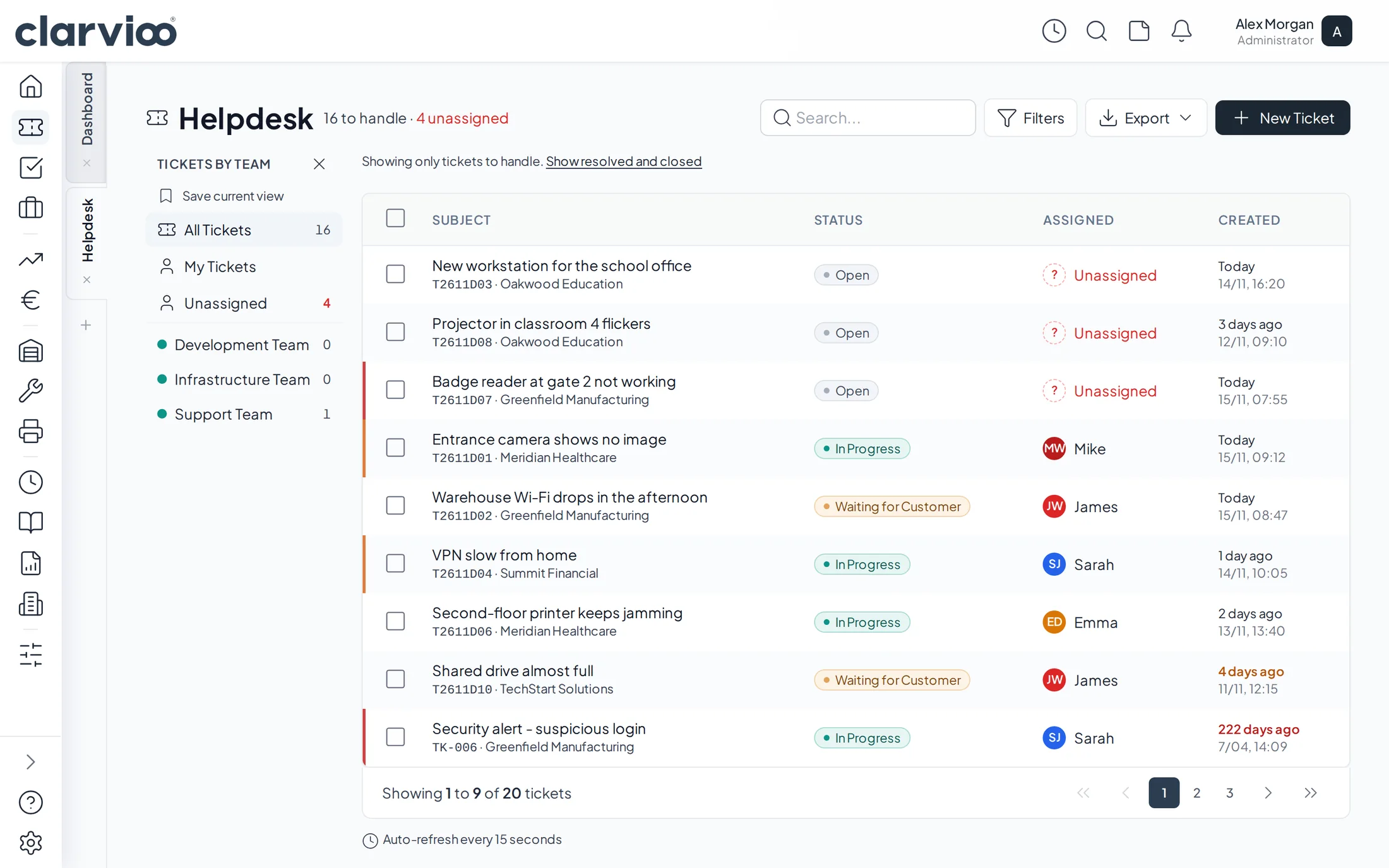
Helpdesk
Every client ticket in one queue.
By team, by priority and with SLAs, so no client is left waiting.
- Tickets from the client portal or logged by the team.
- Each ticket keeps the conversation, time spent and attachments.
- Portal clients don't need a licence.
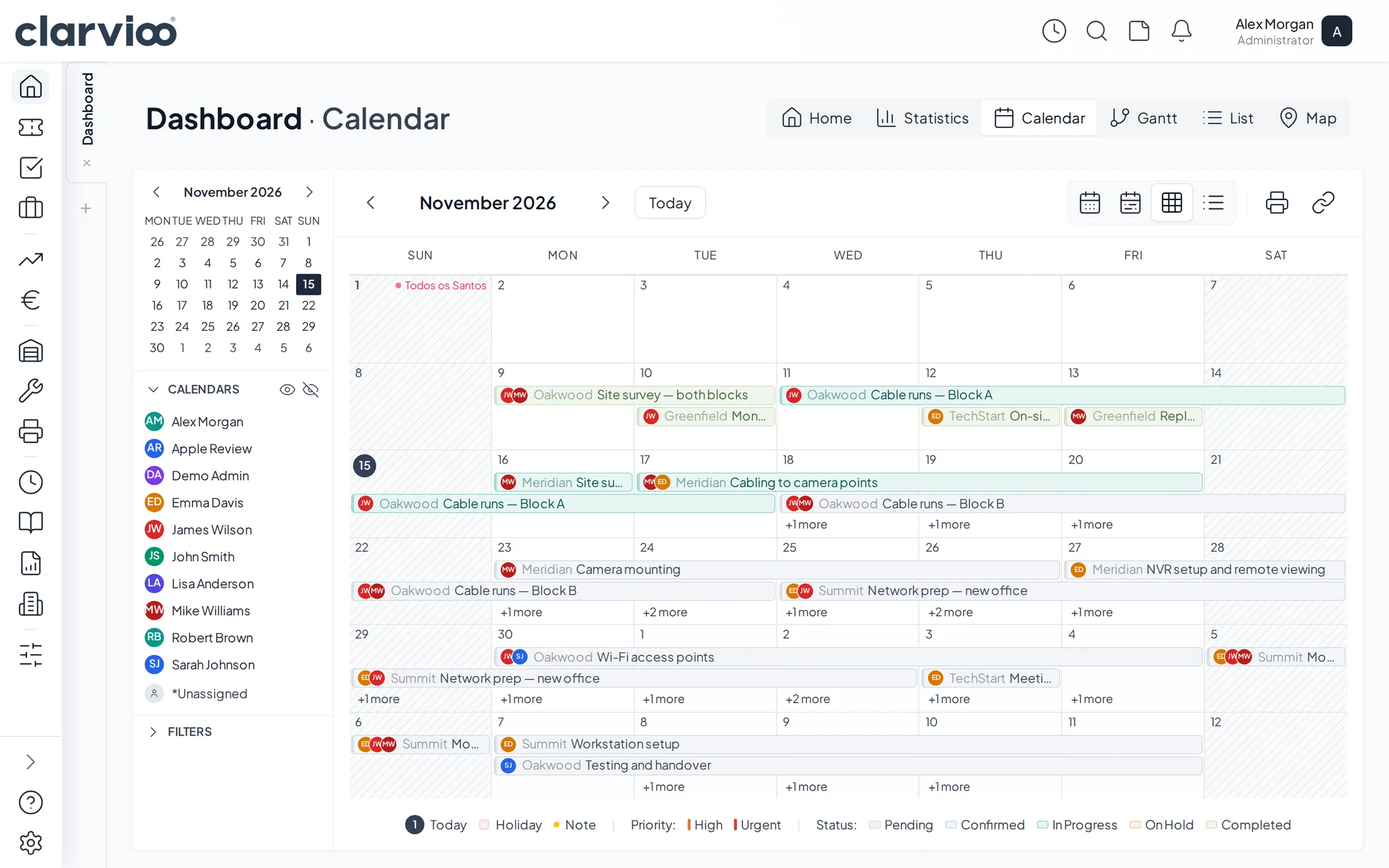
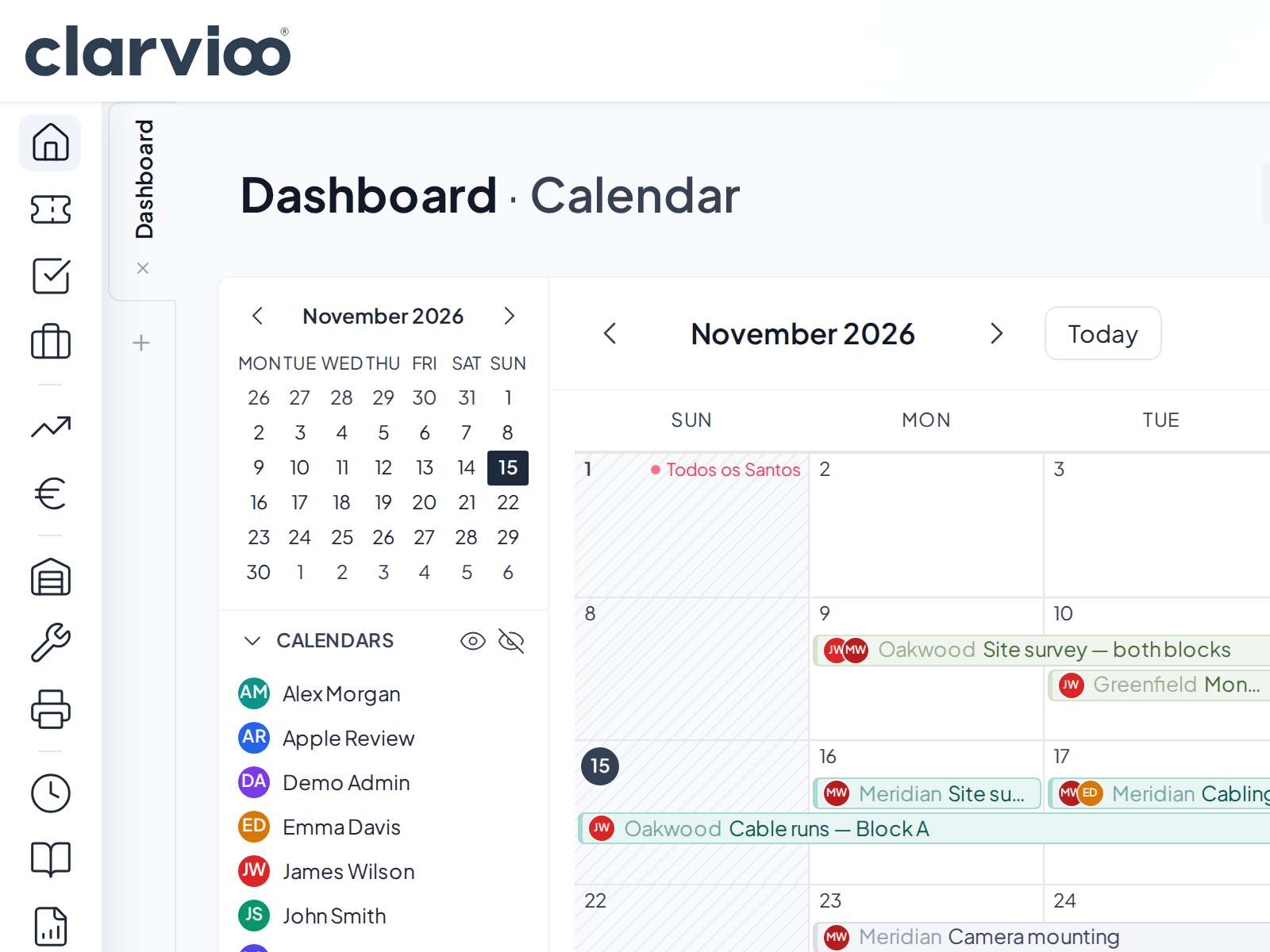
Calendar
The whole team on one calendar.
Each engineer's jobs in their own colour, by month, week or day.
- Public holidays and time off in the same place.
- Show or hide engineers to see each one's workload.
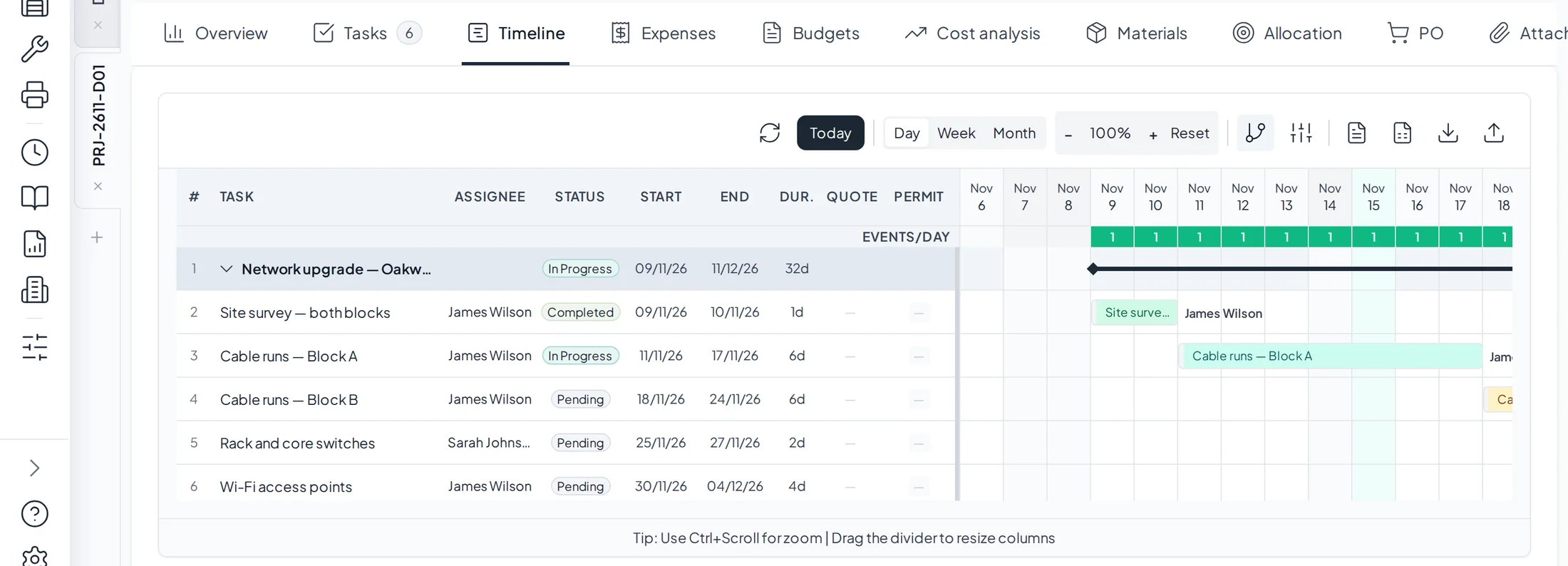
Projects
The whole job in view, and every task one click away.
A Gantt chart with dependencies and who is on each task.
- Status, hours, files and comments in one panel.
- Logged hours count towards project profitability.
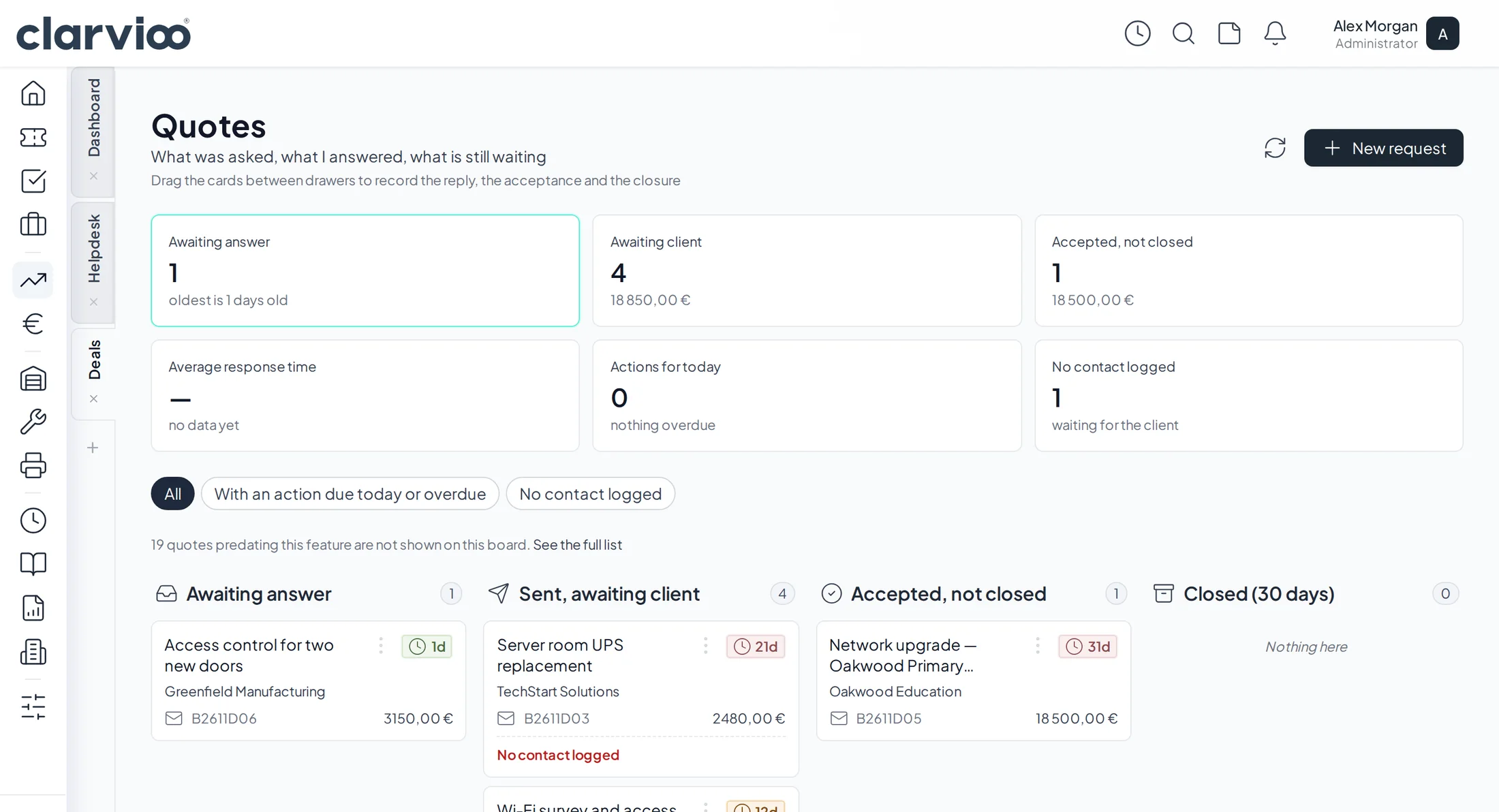
Quotes
Every quote with its follow-up.
When you last spoke to the client, where it stands and what the next action is.
- The next action shows up on your daily dashboard.
- When the client says yes, the project is created, with nothing to copy.
Remote monitoring and management (RMM)
Your clients' endpoints, with alerts that open tickets.
A lightweight agent on every workstation and server, for Windows, macOS and Linux. When something goes wrong, a ticket is opened for your team before the client calls.
Included in the Pro and Enterprise plans
Patch management
Windows and third-party application updates (WinGet) approved by you, with an optional reboot.
Remote scripts
PowerShell, cmd or bash, services and processes. Every job is signed with the engineer's key.
Network and firewall
Network discovery, FortiGate with daily configuration backups, syslog and SNMP traps.
Website monitoring
Your clients' websites checked around the clock, with a ticket when they stop responding.
BitLocker keys
Stored encrypted and only revealed with a code sent to the approver.
Monthly report
Per client, with devices, alerts and how they were resolved. Per-device billing.
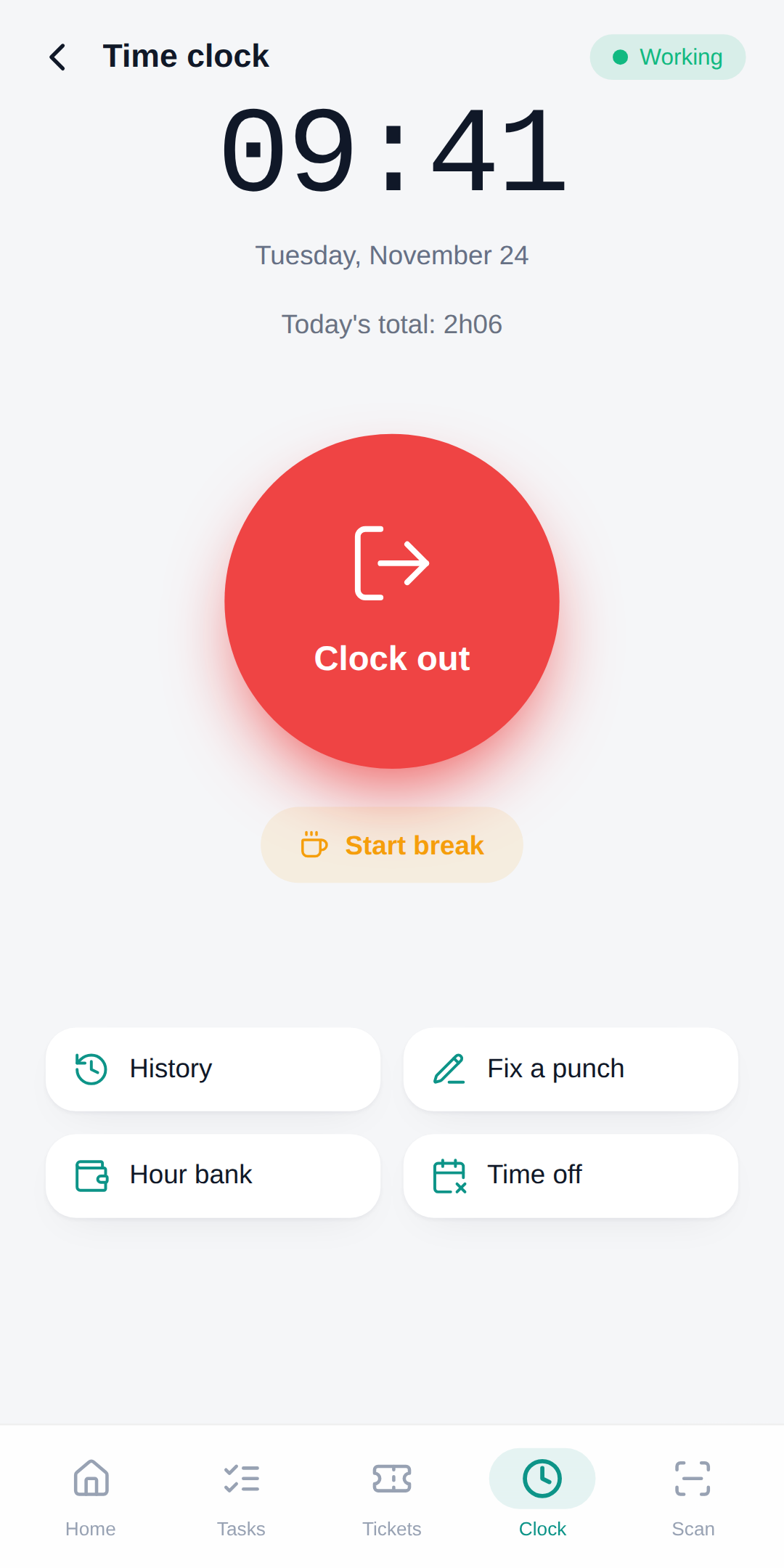
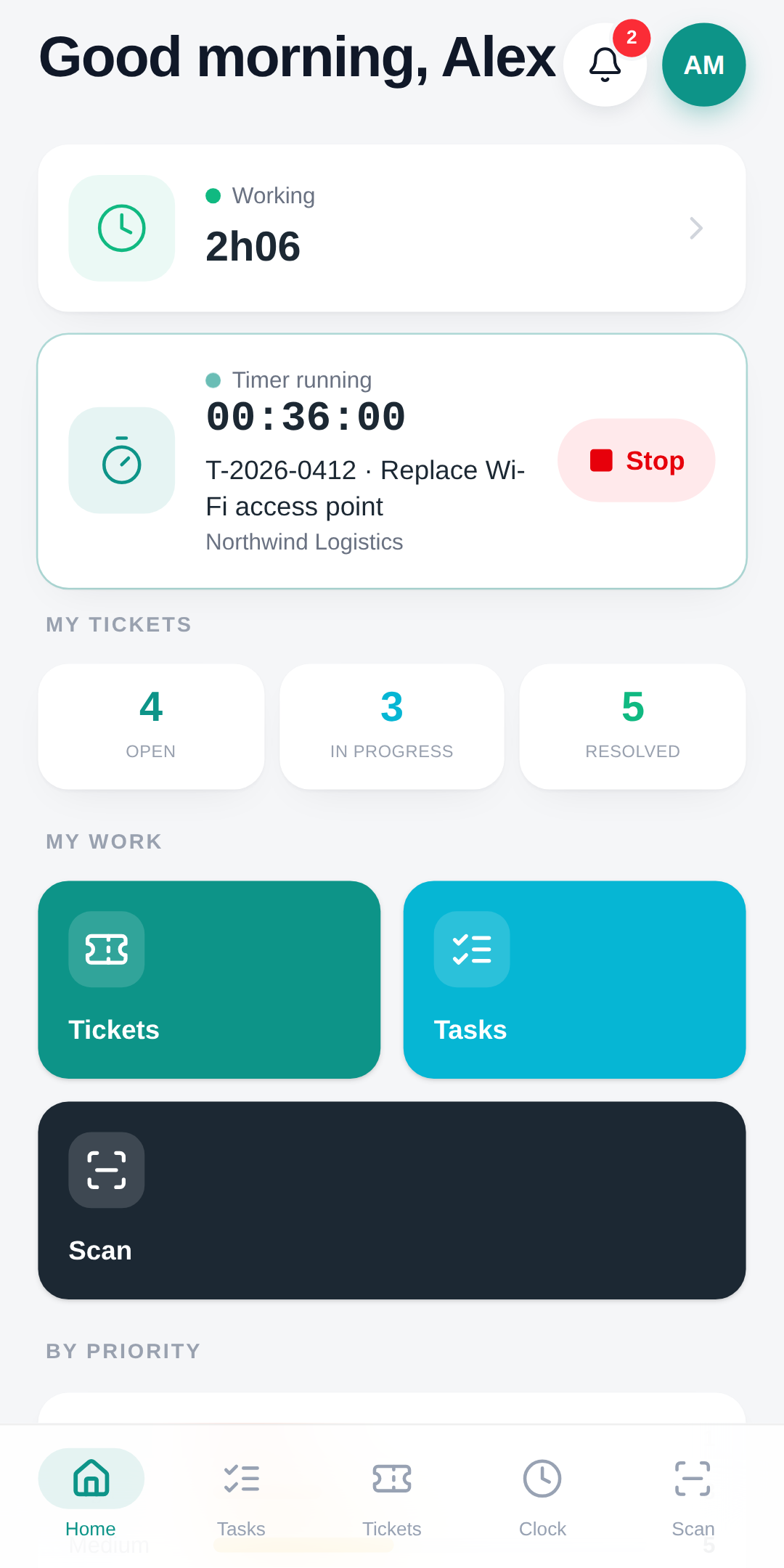
Mobile app
Your field team, with Clarvioo in their pocket.
Engineers see the day's tasks and add photos. On the Pro plan they also clock in and photograph expense receipts, which are read automatically from the Portuguese tax QR code.
Pricing
You pay for the people who work in it.
Clients who open tickets on the portal don't count. Essencial and Pro start with a 30-day free trial.
Essencial
per person
- Helpdesk and client portal
- Tasks and time tracking
- Knowledge base
- Essential reports
Pro
Recommendedper admin or manager · engineers €25
- Everything in Essencial
- Projects and Gantt chart
- Quotes with follow-up
- Supplier invoices and e-Fatura (Portugal)
- SLAs and automations
- Time clock in the app
- Remote monitoring and management (RMM)
Enterprise
for larger teams
- Everything in Pro
- Warehouse, stock and purchasing
- PHC integration (Portugal)
- Remote access to devices
Prices exclude VAT. In Portugal, VAT is added at the current rate. On the annual plan you pay for 11 months.
Security and integrations
Everyone sees what they need, and everything is logged.
Security
- Two-step verification
- An authenticator app code or a security key, on top of the password.
- Role-based permissions
- Admin, manager, engineer and client: each one only sees and changes what is theirs.
- Audit log
- Who did what, and when, is recorded.
Works with what you already use
- e-Fatura (Portugal)
- Matches supplier invoices against those reported to the Portuguese tax authority.
- iZiBizi (Portugal)
- Clients and items in sync; invoices are issued in iZiBizi, which is certified.
- PHC (Portugal)
- Clients, items and documents in sync (Enterprise plan).
FAQ
Frequently asked questions
How does the 30-day trial work?
Request an account and choose a plan, Essencial or Pro. We confirm your details, switch on that plan's modules and activate the account. You pay nothing for 30 days.
Do I need a card to try it?
No. You only add a card when you start paying, inside the app, and the first charge is at the end of the 30 days.
Do you offer RMM (remote monitoring and management)?
Yes, on the Pro and Enterprise plans. Install an agent on each client workstation or server and track them all on the Monitoring page. Alerts open tickets for your team.
Does Clarvioo issue invoices?
No. Clarvioo is not certified invoicing software in Portugal. It stores supplier invoices and reads those with the Portuguese tax QR code automatically. If you have an iZiBizi account, you issue invoices there.
Which languages does it support?
English and Portuguese. Each person picks the language they see the app in.
Put your whole team on one screen this week.
30-day free trial, no card required. We activate your account and help you get started.